Why a Weather App Is Not a Campus Safety Plan
Free weather apps are built for everyday personal use. They are not built to run a district's safety decisions.
The data in a consumer app often comes from the nearest airport, miles from your campus, and can be up to an hour old. On a hot afternoon or during a fast-moving storm, that gap is the difference between a safe field and a dangerous one. You also cannot build automated safety policies on a consumer app. There is no way to set a threshold, trigger an action, notify your staff, and log the decision.
An automated weather alert system solves both problems. Protect measures conditions on your campus, updates continuously, and fires the alerts and actions your safety procedures call for, without anyone watching a screen. That is what turns weather data into a weather safety plan.
What Protect Includes
Every Protect installation is one integrated system. Each component does a job that matters for campus safety.
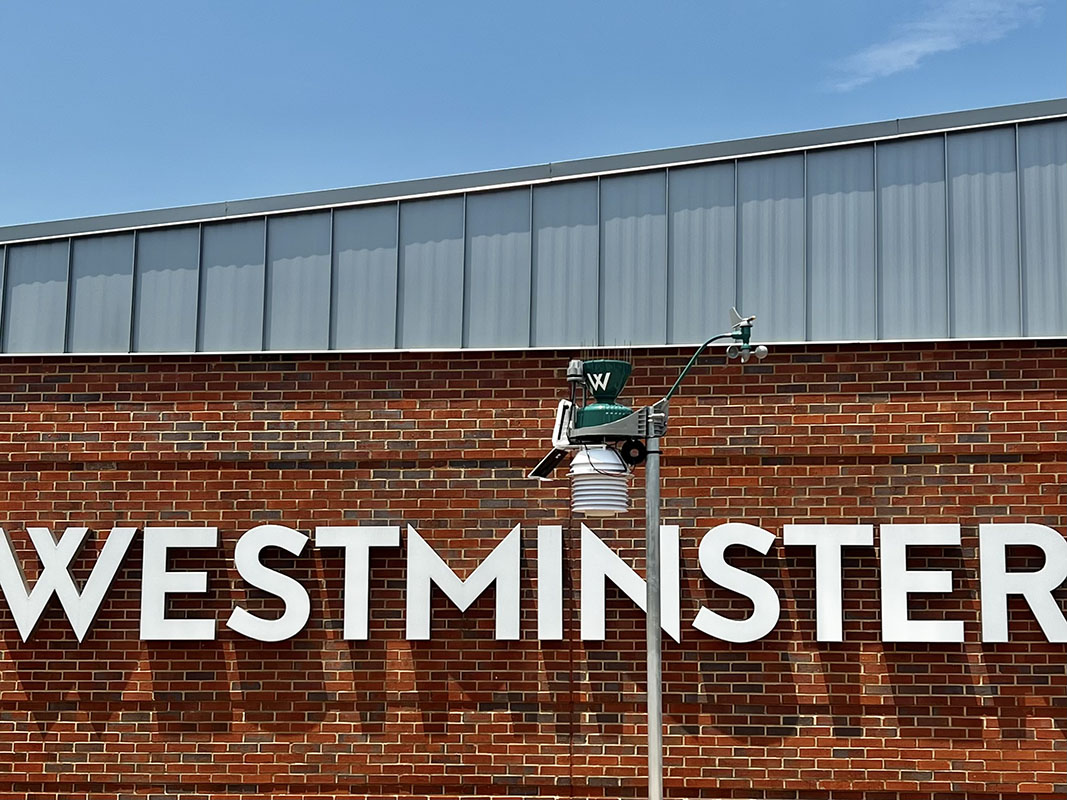
Measures 12 or more parameters on your campus, including wind, temperature, humidity, rainfall, pressure, and solar and UV radiation. Real conditions at your location, not a regional estimate.
A wide field of view for weather and campus security. See conditions at your fields, entrances, and skies in real time, and give teachers a live classroom view of the weather.
Set custom thresholds for lightning, heat, wind, and rainfall. Alerts fire automatically by text, email, and push to the people who need them, with no staff intervention required.
Wet Bulb Globe Temperature is the standard for assessing extreme heat. Protect tracks it continuously for athletics and marching band, the metric state heat rules are written around.
The NLDN as the primary network with AccuWeather as a live backup. Automatic alerts as lightning approaches, and an automatic all-clear when the threat has passed.
Your district name and colors on the station and its public dashboard. The station becomes a visible community resource and a point of pride, not just equipment.
Built for the Decisions Your District Makes
One Protect station supports the whole campus. Here is how different roles put the same system to work.
Heat and lightning safety
Continuous WBGT and dual lightning detection drive heat protocols, practice modifications, and automatic return-to-play timing. Every clearance is logged, so coaches and trainers act on data and have the record to prove it.
Severe weather and EAP activation
On-site wind, rain, and severe weather data, plus National Weather Service alerts, give your safety team the ground truth to activate emergency action plans, shelter students, and coordinate response with confidence.
Event and field decisions
Live conditions and camera views support go and no-go calls for games and events, field readiness after rain, and winter operations for buses, arrival, and dismissal.
A campus resource
The public dashboard shares live weather with families and the community, and the same live data becomes a hands-on science and technology tool in the classroom.
Compliance and Documentation, Handled Automatically
Weather safety is not optional for schools. State athletic associations, the NFHS, and athletic training standards set heat and lightning requirements, and Wet Bulb Globe Temperature mandates are spreading. The Georgia High School Association (GHSA) and the Florida High School Athletic Association (FHSAA) both build their heat policies around WBGT, and Texas made WBGT monitoring a requirement for outdoor athletics and marching band starting in the 2026-27 school year. More states are moving in the same direction.
Protect is built to meet those requirements without adding work for your staff. It measures WBGT continuously, automates lightning clearance and the return-to-play window, and timestamps every reading and every alert. When a parent, a coach, or an attorney asks whether your district followed its own policy, the answer is documented rather than remembered.
The rule is about heat. The system does far more.
If you are investing to meet a heat rule anyway, it is worth scoping the station once for the whole campus. The same system covers lightning, severe weather, air quality, and National Weather Service alerts, and it can drive an outdoor warning siren and a visible display. See how compliance becomes whole-campus safety in the Texas UIL WBGT compliance guide.
Automated Alerts and Emergency Notification Integration
Protect is a weather warning platform your team can actually operate. You define the thresholds. The system watches the conditions and takes the action.
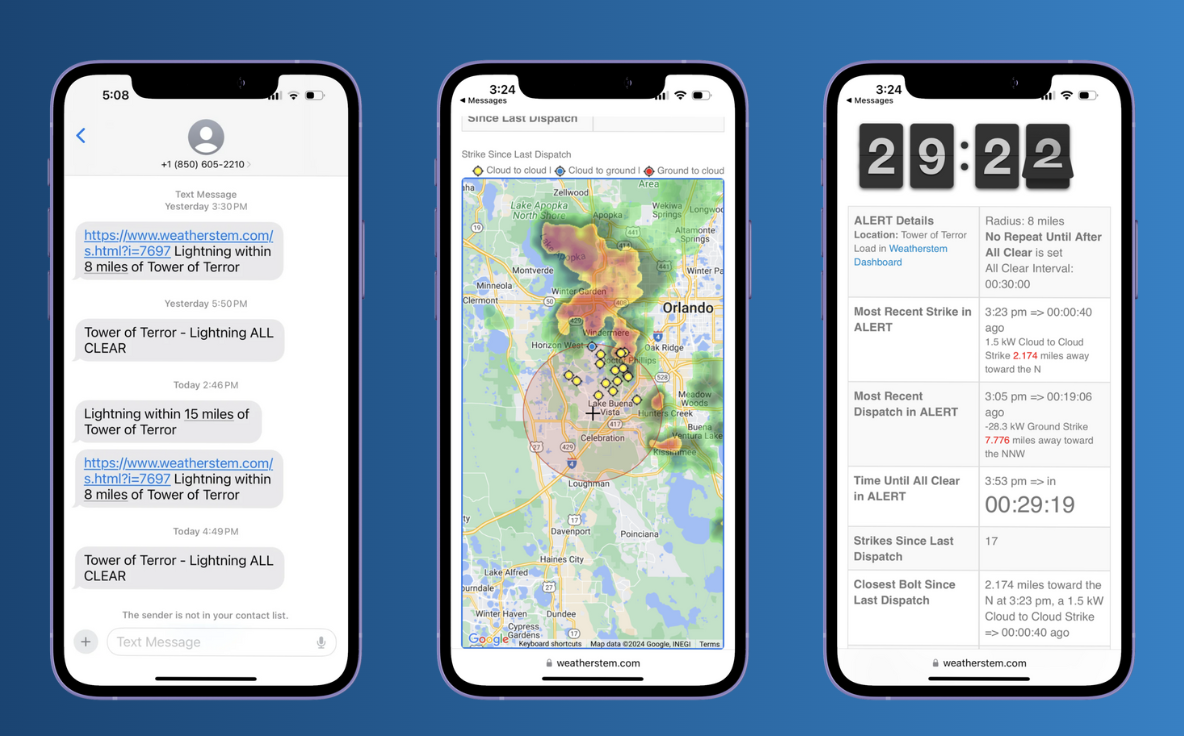
- Custom thresholds, automatic actions. Set the rules for lightning, heat, wind, and rainfall once. Alerts and clearances fire automatically, the same way every time.
- Multi-channel public safety weather alerts. Notifications reach staff and stakeholders by text, email, and push, so the right people know without anyone making a phone tree.
- Emergency notification integration. Weather triggers feed the mass notification and emergency management platforms districts already run, including systems such as WebEOC, Everbridge, and Esri, so weather flows into your existing workflow.
- Sirens and displays. Protect can drive a Blast outdoor warning siren in open outdoor areas, audible for hundreds of yards, and a visible display for fields and stadiums.
About Blast
Blast is Weatherstem's outdoor warning siren, powered by the same dual lightning detection as Protect, with the NLDN as the primary network and AccuWeather as a live backup. It is designed for open outdoor environments such as fields, stadiums, and campuses. See how Blast works.
What Schools Say
It has helped us make our job easier, to be able to know that we are doing everything we possibly can to keep our kids safe, and be upfront and honest with our coaches and have clear communication. I would say it has been a game changer for us.
Districts often start with a single station and grow from there. In Wayne County, Georgia, the county began with one station for emergency management, then expanded to school district facilities once the operational value was clear. That is a common pattern: prove it at one campus, then extend the same system across the district.
Why Districts Choose Weatherstem
Funding your campus safety system
Districts fund weather safety technology through safety and capital budgets, athletic budgets, and state and federal safety grants. Weatherstem works directly with your team and purchasing office on the specifications and documentation an application needs. Bring us in early and we will support the submission.